Looking an expert team?  +91-74286 23211
+91-74286 23211  sales@semreseller.com
  Mon-Fri 9:30 - 6:30
+91-74286 23211 sales@semreseller.com Mon-Fri 9:30 - 6:30
Mon-Fri 9:30 - 6:30
+91-74286 23211 sales@semreseller.com Mon-Fri 9:30 - 6:30 Learn why page speed is essential for SEO success. Discover effective strategies to boost your website's loading time, enhance user experience, and improve search engine rankings for better online visibility.
In today's digitally dominated era where users expect instant response and productivity, page speed is not just a formality but a necessity for effective SEO. Are you looking forward to enhance your user experience, improve engagement metrics, and boost your search engine rankings? If yes, then you are on the right page. When it comes to decide how to rank your site, page load speed should be taken into account as it is the most essential ranking factor according to Google algorithms. Google says that while faster pages provide a better user experience, whereas slow page loading impacts the SEO negatively making it a less user-friendly interface which can lower a site's ranking in search results. To fix this problem, SEO techniques like image optimisation, leveraging browser caching, minifying CSS, JavaScript, and HTML, and using a content delivery network (CDN) has proved to be paramount. If you are looking to scale up your e-commerce conversion rate with a better user management of SEO, it is essential combine your page speed with real-world data and user experience metrics. Several studies has shown that users are likely to abandon a site if it takes longer time for loading. Therefore, it is important for you to understand the process of page loading and thereby implement it for a better user experience in the first place. This user guide will help you understand the technicality and step by step process of improving page speed comprehensively. Let's dive in!
If you are a beginner looking forward to improve your user experience, it is essential to work upon your site's page speed. It is common that users expect websites to load quickly. A website that loads quickly and properly is always preferred by the users rather than the one that takes longer time to load pages. Such delays can lead to frustration and increased bounce rates. By ensuring your site loads its content and interactive features as quickly as possible you can improve your search rankings and optimize your site for Google's ever-changing algorithms. Also, faster sites are likely to keep users engaged longer, leading to lower bounce rates and higher conversions.
On the other hand, when it comes to boost your website's ranking, Google considers page speed as a crucial factor. Make sure that your site loads faster if you are aiming to rank higher in the search results. It is also recommended by Google to focus on Core Web Vitals which specifically measure loading performance, interactivity, and visual stability. However, if you are aiming to improve your mobile responsiveness thereby scaling up your user retention, it is crucial to optimize the page speed on mobile as the majority of searches happening on mobile devices. A higher optimizing page speed for mobile can certainly boost your site's performance rate and user engagement whereas a slow mobile site can drastically affect rankings and user retention. According to studies it is found that a faster websites can lead to higher conversion rates. It has been evident that as faster your website performs, you will be likely to engage more audiences leading to increased sales and revenue.
When a user goes to a site that takes more than a couple seconds (if that) to load, it is usual for them to become frustrated and there is a high chance they will leave that particular page. Over the past few years, Google has adjusted its algorithm so that it can improve an overall user experience UX thereby checking the site's bounce rate into account. Although it is a fact that Page speed affects your SEO a lot. Therefore, on having a quick and responsive website you can improve the user experience rate significantly. If you are aiming to improve your site's UX rate and reduce the chances of its bouncing, it is important to understand the most probable reasons for the occurrence of bouncing. Here are some of the major reasons that leads to poor user experience and increased bounce rate.
Optimizing your website's page speed is a crucial step these days in order to provide a better user experience and engagement. The entire process of page optimization requires a steady balance that needs to get properly channelized between speed and utility and aesthetics. Here are few recommendations on what you can do to help drop your page load times and get that page speed SEO boost you're looking for.
One of the easiest ways to reduce page load is to minify all the code that you can. Many WordPress themes and plugins (including Divi) offer this feature out of the box. Divi does it automatically, and other performance optimization plugins such as WP Rocket have toggles for you to opt into the feature.
Images are the ultimate tool that can make your website content more engaging. One of the major reasons for your site's reduced page speed and higher loading time is JavaScript hogging your server threads, gigantic images (or gigantic numbers of images). In order to keep that from bogging down your site, it is recommended to add an image optimization plugin with an image optimization service such as Imagify or TinyPNG that can lower the file sizes down by well over half.
There are different and advanced image formats having distinct advantages that can be helpful for your website page optimization.
A content delivery network is a surefire way to increase your page speed. Many hosts these days will offer free versions of different CDNs, including Cloudflare. Instead of just reaching your one specific server, CDN take the content from your site, distribute it across their network of servers placed in strategic locations, and then relay it to the users in the most efficient way possible. This step helps in reducing the chance of occurrence of redundancy and caching thereby improving your uptime and quicker speeds.
A potential hosting plan is crucial for your website's better performance and elevating its page speed. A slow host can affect user experience and negatively impact your website's performance by causing it to load slowly. If you are looking for speed-centric web hosting services get your hands on a high quality hosting service, focusing on maximum performance, and suitable for both beginners and advanced users. A potential hosting plan can effectively lead content management systems like WordPress, ensuring faster loading times thereby transferring limitless data that can accommodate high web traffic volumes. On the other hand it you are looking forward to improve your Core Web Vitals, hosting service can be of potential help by assessing the website's performance and providing suggestions to improve website speed. These metrics include Cumulative Layout Shift (CLS), Largest Contentful Paint (LCP), and Interaction to Next Paint (INP). With the use of hosting service you can minimize your page load time by up to 10% and page size by nearly 50% on average.
As your page loads, the browser will constantly try to render and parse multiple elements. Render-blocking resources are those which stop that concurrent loading and take up the browser's attention in full. If you're a WordPress user, many site caching plugins have simple toggles to remove/defer render-blocking resources. You just need to remove those render-blocking elements or defer them to after the primary content has already loaded. By doing so, you can increase page speed and effectively boost your SEO.
Code optimization is an integral part of website speed optimization as it directly affects how efficiently a website loads and renders. By minifying CSS, JavaScript, and HTML you can eliminate unnecessary space and make your website's code is clean. A well-organized code can dramatically enhance website performance by minimizing the number of HTTP requests, which is vital for quick loading. An optimized code helps search engines crawl your site more efficiently, making it easier to lower bounce rates. To achieve this, you can use minification tools that remove unnecessary characters, like spaces and comments, without affecting the code's functionality. For example, Uglify is an excellent tool for minifying JavaScript files, making them lighter and quicker to load.
The HTTP requests made to the server significantly impacts your website's speed as each request requires time to establish a connection, when your browser asks for resources like images, stylesheets, or scripts. It is recommended that instead of using multiple CSS files, you can merge them into one. If you want to minimize script, you can keep your JavaScript and jQuery code concise and load them asynchronously by adding the async or deferring attributes to the script tags if immediate rendering is unnecessary. Therefore by minimizing HTTP requests, you are actually able to decrease server load and improve overall user experience, which is crucial for SEO and engagement.
If you are trying to boost your website's performance significantly, it is necessary to reduce the amount of transferred data between your website's server and the client's browser, with the help of GZIP compression. This technique compresses your HTML, CSS, and JavaScript files into a ZIP file with a .gz extension, which is significantly smaller in size.
GZIP offers quick compression thereby reducing your file sizes by up to 90%. It is highly recommended for being lightweight, requiring minimal computational power and temporary storage.
If you are aiming to increase your web page load time significantly, you need to take an account on your external resources such as social media widgets, chatbots, and analytics tools. For an instance, external resources that are utilized for enhancing your website's functionality and visual appeal can also lead to hinder its performance with a sluggish load time and a poor user experience. Therefore it is recommended for you to regularly review all third-party scripts, plugins, and other resources to ensure they are essential for your site's functionality or user experience. Remove or replace any that are unnecessary or outdated.
Accelerated Mobile Pages (AMP) is an open-source HTML framework designed by Google to elevate website performance across mobile devices. This potential framework leverages the strategy of streamlining HTML, CSS, and JavaScript elements, for a smooth browsing experience of the mobile internet users. AMP strategy is one of the most crucial speed optimization strategies to keep mobile users engaged and reduce bounce rates. Some of the major benefits one can harness with the implementation of AMP are,

Digital Marketing Specialist at SEMReseller

Have you once thought about how precisely Google could determine the information you were seeking even if your search was somewhat unclear or used non-standard words? It almost feels like the search engine is tapping into your thoughts!

The secret of getting a good position on Google does not only involve great content. You may have the best post but if it is hosted on a slow-loading server, it will not get traffic from Google searches, nor will any user wait for it to load.

Business successes rely on conversions no matter what stage of operation your company currently has. Your upgrading techniques for conversions can boost your ability to capture target clients.
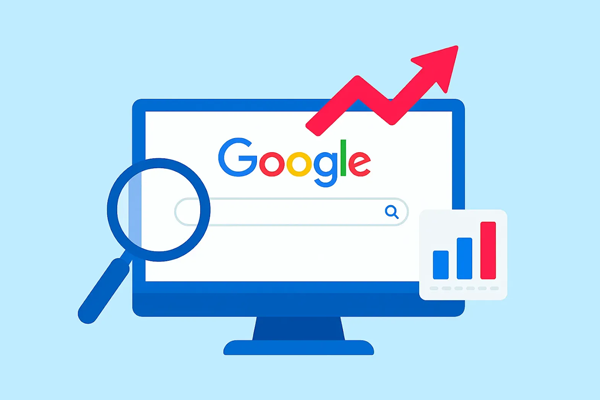
Have you ever had the feeling that your website is the world's largest library hidden? Amazing content has been written, a stunning site has been designed, and you know very well that the information is needed by people. But when you do a Google search for it, it's not there. Annoying, isn't it?

Everybody is familiar with the traditional game of SEO (Search Engine Optimization). First, you do keyword research, then write a post, create some backlinks, and finally pray that Google becomes aware of your existence. It seems like a drive with a map and hoping you wouldn't get missed at any point.
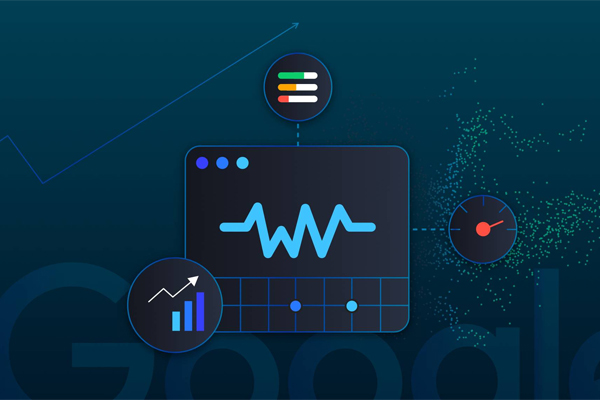
As soon as a Google user clicks to your website a clock starts to tick. If your site is slow or the text keeps moving while the user is reading or the button response at the other end is slow, then the user leaves your site. A single, irritated pressing of the "back" button means you lose traffic, interaction, and possibly even sales.

When you type a question into Google and hit Enter, you're talking to one of the world's smartest computer programs. These computer programs are called search engine algorithms, and they are the secret formula for discovering the most suitable answer out of billions of web pages.

The "Graphic Design is My Passion" meme is a funny internet joke about bad design. It started making fun of poorly designed graphics, but over time, it expanded a lot. People use this meme to joke about cringy, messy, or strange designs. The phrase reads confidently, but when combined with a terrible design, it creates a funny comparison. The meme started on Tumblr in 2014, showing a poorly drawn green frog and ugly text. It has expanded since then, inspiring many copies on the internet.

AI presents an undeniable transformation for the future of SEO by programming routine tasks. It enables researchers to boost keyword analysis and improve content efforts and performance evaluation. Yet, people continue to be essential for interpreting user needs and producing high-quality materials.

The mark of business is always that content marketing remains an ever-changing turf. Keeping track of the trends has to be a crucial factor in ensuring that customers can learn a competitive edge over other businesses. 2026 opens up multiple years for trends emerging forth in creating a new future for content marketing worldwide. For instance, this includes AI personalisation, as well as video and interactive elements.
Your email address will not be published.
Required fields are marked *
 +91-74286 23211